


MN DNR Licensing
3.716.00 Reviews
App Specs
- Version
- 1.2026.0729.1
- Updated On
- License
- Free
- Downloads
- 10,000+
- Developer
- Sovereign Sportsman is now PayIt LLC
- Categories
- Sports
- Platform
- Android
Screenshots
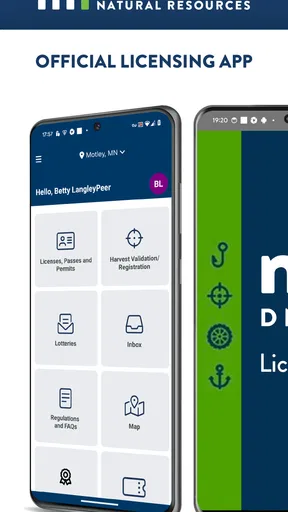
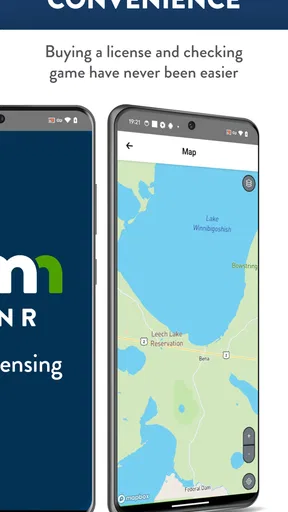
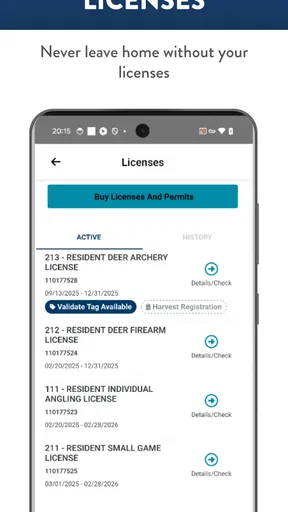
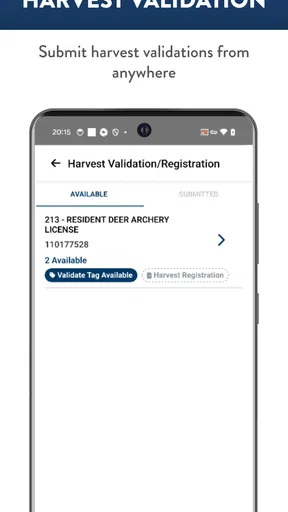
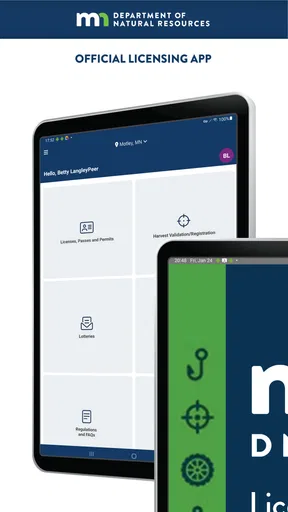
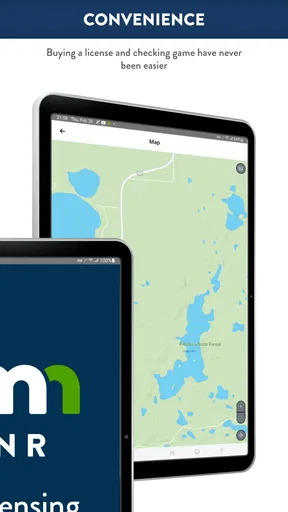
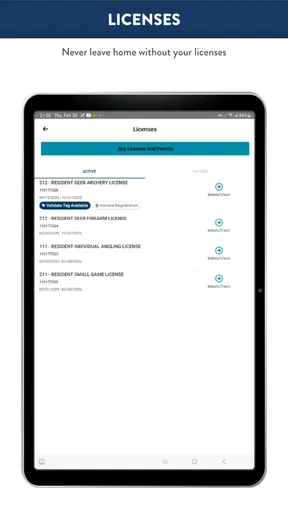
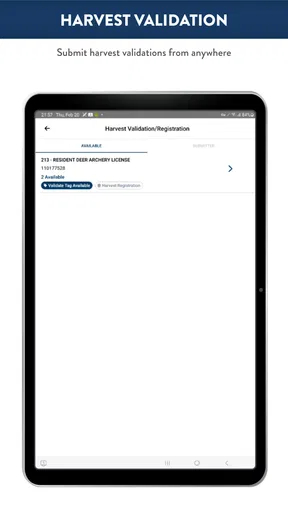
 Analysis by AppCompare
MN DNR Licensing is the kind of sports app I would keep on my phone when a trip outdoors depends on having the right Minnesota license ready at the right moment. It serves as the official licensing app for the Minnesota DNR, and its purpose is refreshingly focused: helping people handle Minnesota Department of Natural Resources licensing from a mobile device rather than treating the phone as a general-purpose outdoor guide.
I approached it as a practical tool, not as a destination for maps, fishing advice, hunting education, or a social feed. That distinction matters. If you want a compact way to deal with licensing tasks while preparing for time outdoors, it has a clear reason to exist. If you are looking for a complete companion for every part of a hunting or fishing trip, you may still need other resources.
The app is free and intended for Everyone, which makes it approachable for families, occasional participants, and experienced outdoor users alike. Its current version is 1.2026.0729.1, and the Android requirement begins with version 7.0. That broad compatibility is useful for people who keep an older phone as a backup or do not upgrade devices frequently.
How MN DNR Licensing fits into a real outdoor routine
My favorite way to think about this app is as a preparation and proof-of-purchase tool. Imagine getting ready for an early morning fishing trip. Instead of searching through email, paper documents, or a browser history, you can use the licensing app as the dedicated place to manage the relevant Minnesota DNR licensing activity. The value is not flashy; it is reducing the number of places you have to check before leaving home.
That focused role also changes how I judge it. I do not expect it to replace a navigation app, a weather service, a regulations reference, or local knowledge. I expect it to make the licensing part less scattered. For a regular Minnesota angler or hunter, that can be more useful than a large app packed with unrelated features.
The strongest benefit is administrative simplicity before the trip begins. Licensing is one of those tasks that is easy to postpone and inconvenient to discover at the last minute. A dedicated app encourages me to deal with it as part of the normal preparation routine: check what I need, complete the relevant process, and make sure the result is accessible before heading out.
There is also a practical distinction between using an official app and relying on a generic search result. A web search can lead to the correct government page, but it can also leave you sorting through informational pages, external services, and old bookmarks. A dedicated Minnesota DNR licensing app gives the task a more direct home. That does not make every step effortless, but it reduces the mental overhead of finding the right starting point.
Worth Reading Before You Choose

Flipboard Shows What News Apps Must Do Beyond the Feed

Switching to Android Auto Means Rethinking Your Driving Routine

Google Calendar Makes a Crowded Week Easier to Manage

Ludo King Makes the Most of the Minutes Between Plans

Baby Panda World Brings Quick Play to Modern Phones, but Its Game Library Feels Busy

ESPN’s Live Game View Makes Following Close Games Easier
What the current release tells me
The current release number, 1.2026.0729.1, shows that the app is being maintained in a contemporary release line rather than sitting as an abandoned utility. I would not interpret a version number by itself as proof of a major redesign or a specific new function, but it does give existing users a sensible reason to keep the app updated. Licensing tools need to stay aligned with the service they represent, so current maintenance matters more here than visual novelty.
The app is developed by Sovereign Sportsman is now PayIt LLC. That developer identity is worth noticing for users who may have encountered an earlier name or are checking whether an update belongs to the expected product. When an app handles an official licensing workflow, recognizing the developer helps avoid installing an unrelated imitation with a similar title.
Its audience is reflected in its reach: the app has passed ten thousand installs, with an average rating of 3.7 from around thirty ratings and sixteen written reviews. I read that as a modest but mixed signal. It suggests real usage, but not enough public feedback to treat the rating as a complete portrait of every device, account, or licensing situation.
For me, that rating makes the app worth trying without assuming it will be perfect. A licensing app can be genuinely useful while still producing frustration in particular moments, especially when a user is dealing with account details, an unfamiliar process, or poor connectivity. I would install it ahead of a trip rather than waiting until I am already at the water or trailhead.
What changes for people already using it
Existing users should approach the current version as a maintenance point first and a promise of dramatic change second. The confirmed release information supports the idea of an updated product, but it does not justify claiming a new interface, a new checkout flow, or a particular feature that is not documented here. My practical advice is to update before a planned trip, open the app while connected, and review the information you expect to need.
That simple check is more important than it sounds. A person who only opens a licensing app once or twice a year may forget how the screens are organized. Testing it at home gives you time to resolve an account or device issue without an early departure adding pressure. It also lets you confirm that the app opens normally on your phone before you depend on it outdoors.
If you have used an older version, I would avoid deleting stored information or assuming that every familiar screen behaves exactly as before. Updates can alter navigation even when the overall purpose remains unchanged. Move through the licensing process calmly, keep any relevant confirmation accessible, and retain another lawful record when appropriate for your own peace of mind.
One useful habit is to separate licensing preparation from trip-day improvisation. I would not make the first launch happen in a parking lot with weak reception, cold hands, or a group waiting to leave. Complete the administrative work earlier, then use the app on the day itself mainly as a reference point. That workflow reduces the consequences of a temporary technical problem.
Where it earns a place beside ordinary alternatives
The usual alternative is a mobile browser. A browser is flexible and may be the better choice for someone who only needs licensing once, does not want another app installed, or prefers to manage everything from a desktop. It can also be more comfortable when a user needs to read broader DNR information at the same time.
The dedicated app has a different advantage: it gives the licensing task a recognizable, repeatable entry point. I can find the relevant tool from the phone rather than remembering which bookmark, search phrase, or government page led me there previously. For recurring outdoor activities, that small reduction in friction adds up.
There is a trade-off, though. A dedicated app is another piece of software to update and another place to learn. Someone who already has a reliable browser workflow may not gain much from switching. I would recommend the app more strongly to people who repeatedly handle Minnesota licensing on a phone than to someone who needs a one-time transaction and dislikes installing specialized tools.
It also should not be confused with a full outdoor planning suite. A weather app may be better for forecasts, a navigation app may be better for route planning, and official regulations or local guidance may be better for understanding what is permitted in a particular situation. MN DNR Licensing is most convincing when it owns one narrow part of the routine instead of pretending to cover everything.
Small workflows that make it more useful
My first practical tip is to create a pre-trip checklist that places licensing near the top, not at the end. Open the app while you still have time to think, identify the licensing task connected to your activity, and finish the preparation before packing the rest of your gear. This is especially helpful for occasional users who may not remember the process from the previous season.
My second tip is to use a two-stage check. First, handle the licensing process at home on a dependable connection. Later, open the app again before leaving to make sure the information you expect to access is still available. This does not guarantee that every service will work in every location, but it catches simple problems while they are still easy to address.
My third tip is to treat the phone as one part of your documentation plan. I like the convenience of digital access, but outdoor trips can involve low battery, weather, accidental drops, or limited reception. Keeping the relevant confirmation available in the way the official process permits, and knowing what you need to show if asked, is more responsible than assuming an app alone solves every situation.
A fourth useful workflow is household coordination. If several people are preparing for the same trip, do not assume that one person’s licensing information automatically covers everyone else. Use the app to organize your own licensing responsibilities, then make sure each participant understands what applies to them. This is a simple way to prevent the common mistake of treating a shared outing as if it had a single administrative requirement.
Finally, I would avoid installing or updating it for the first time immediately before departure. The app is free, so the cost is not financial; the real cost is attention. Give yourself enough time to recognize the correct official app, complete any necessary sign-in steps, and confirm that your phone is ready before the trip becomes time-sensitive.
Where the experience may still feel limited
The app’s narrow purpose is both its strength and its main limitation. Users who want regulations, seasonal explanations, maps, conditions, trip planning, and licensing in one place may find the experience incomplete. That is not necessarily a flaw in a licensing-focused product, but it does mean the app will not become the only outdoor application on many people’s phones.
The mixed average rating also encourages realistic expectations. Around thirty ratings is a small public sample, and a 3.7 average points to an experience that some people find useful while others encounter friction. I would pay attention to the moment when the app is used: a calm setup at home is a very different test from an urgent attempt outdoors with poor connectivity.
Another limitation is behavioral rather than technical. A dedicated licensing app cannot help much if the user does not know which license or authorization applies to the planned activity. The tool can support the licensing task, but it should not replace careful responsibility for understanding the rules relevant to a trip. I would still consult the appropriate official guidance when the situation is unfamiliar or complicated.
People who rarely participate in Minnesota outdoor activities may reasonably prefer the browser. Installing a specialized app for a single need can feel unnecessary, particularly if the user already has a desktop workflow. In that case, the app’s convenience may not outweigh the effort of adding another icon, remembering another login, or keeping another service current.
I would also be cautious about judging it solely by how polished it feels compared with entertainment or social apps. Government-adjacent licensing software has a different job. Clear access to the right process matters more than animations or elaborate personalization. Even so, the app should be easy enough to use under ordinary conditions, and anyone who finds the workflow confusing should give themselves extra preparation time rather than relying on last-minute experimentation.
Who should use it, and who should skip it
I think MN DNR Licensing is a good fit for Minnesota residents and visitors who regularly handle DNR licensing from a phone. It is particularly suitable for people who want one recognizable place for this administrative task, families coordinating outdoor plans, and occasional users who would rather avoid hunting through browser history each time.
It is also a reasonable choice for anyone replacing a paper-first routine with a digital one. The transition works best when the app becomes part of a repeatable checklist instead of a rescue tool. Install it, explore it while you are relaxed, and make licensing preparation a normal step before packing equipment.
I would skip it if your needs are broader than licensing and you expect a single app to plan the entire outing. I would also skip it if your existing browser method is already fast, familiar, and dependable, especially for a one-off need. In those cases, the dedicated app may add little beyond convenience.
For users with older Android phones, the minimum requirement of Android 7.0 is reassuringly inclusive. Still, compatibility on paper is not the same as comfort on every device. If your phone is old, test the current release well before travel and avoid making it the only way you can access important trip information.
What I would watch as the product evolves
The most important thing I would watch is whether future releases make recurring licensing tasks clearer without expanding the app into a cluttered outdoor portal. A focused licensing experience is valuable, so improvements should ideally reduce confusion, make returning users faster, and keep the relationship between the app and Minnesota DNR services easy to understand.
I would also watch how well updates serve people who use the app only occasionally. Seasonal users need obvious entry points and confidence that they are working with the current process, even if months have passed since the last visit. Small improvements to orientation can matter more to them than advanced options designed for daily users.
Another area worth watching is reliability during the transition from preparation to real-world use. The app is most valuable when a person has already completed the necessary work and can confidently retrieve what matters. Future maintenance should preserve that sense of readiness, particularly for users who do not have strong mobile habits.
At the same time, I would not expect the product to replace every other official resource. The healthiest direction is probably a clear division of roles: licensing here, broader rules and outdoor information where they belong, and personal trip planning in the tools each user prefers. That keeps the app understandable instead of turning it into a crowded dashboard.
Overall, I see MN DNR Licensing as a practical specialist rather than a complete outdoor companion. Its free access, broad Android compatibility, official Minnesota DNR purpose, and active current release make it worth considering for anyone who repeatedly manages licensing on a phone. The modest public rating tells me to test it early and keep a sensible backup plan, not to dismiss it outright.
My recommendation is straightforward: if Minnesota licensing is a recurring part of your fishing or hunting routine, install it before your next trip and build it into your preparation checklist. If you only need a one-time transaction or want maps, weather, regulations, and trip planning in one package, the usual browser-based approach plus dedicated outdoor tools may suit you better. Used for what it is designed to do, MN DNR Licensing can remove an annoying administrative hurdle without pretending to be more than that.
Pros
- Official Minnesota DNR source for purchasing licenses and permits
- Keeps licenses accessible on your phone for quick reference
- Supports several hunting
- fishing
- and recreational license types
- Useful trip-planning information is available within the app
- Digital access can reduce the need to carry printed documents
Cons
- Some licenses may require additional steps or eligibility details
- Account setup and identity verification can take time
- Coverage may be limited in areas with weak mobile service
- The interface may feel less intuitive for first-time users
- Not every DNR service or permit is necessarily available in the app
FAQs for MN DNR Licensing
What is MN DNR Licensing used for?
MN DNR Licensing is designed to help Minnesota residents and visitors manage licenses, permits, and related outdoor recreation authorizations issued by the Minnesota Department of Natural Resources. Depending on the available services, users may be able to purchase or access hunting, fishing, trapping, and other recreational licenses, review license information, and keep important documentation available while participating in outdoor activities.
Can I purchase Minnesota hunting or fishing licenses through the app?
The app may provide access to Minnesota DNR licensing services, allowing eligible users to buy or manage certain hunting, fishing, trapping, and recreational licenses. Available products can depend on the season, residency status, age, and activity selected. Before completing a purchase, carefully check the license details, dates, regulations, and any required information to ensure you are choosing the correct authorization.
Do I need an internet connection to use MN DNR Licensing?
An internet connection is generally required for signing in, browsing available licenses, submitting personal information, completing payments, and synchronizing account details with Minnesota DNR systems. Some license information or documents may remain accessible after they have been loaded, but users should not assume every feature works offline. It is best to prepare important licenses before entering areas with limited coverage.
Is MN DNR Licensing available for both residents and nonresidents?
MN DNR Licensing can support both Minnesota residents and nonresidents, although the licenses, fees, eligibility requirements, and identification details may differ. When creating an account or purchasing a product, provide accurate information about your residency and personal status. Nonresidents should review the applicable rules carefully, since not every license or permit is available under the same conditions.
What should I check before downloading and using the app?
Before downloading MN DNR Licensing, check that your Android or iOS device meets the app’s current requirements and that you have a reliable connection for account and payment functions. Review the developer information, privacy permissions, and official Minnesota DNR guidance. The app is a convenience tool, but users remain responsible for following current regulations and carrying any required identification or documentation.


